public ImageMultiProcessor(String filename) throws
IOException
This is the constructor. The string is the source image filename.
public void show(String title)This shows your image by calling the
show(String title) method on
your private image.public void show(String title, int x, int
y)This shows your image by calling the
show(String title, int x,
int y)
method on your private image.public boolean scale(double scaling)Scales your image. If
scaling is 2, for example, your
image should double in size. Likewise, if scaling is
0.25, your image should be 1/4 the size of the original. If
scaling factor is less than or equal to 0, make no
changes to the image and return false. Otherwise, return
true.public boolean crop(int rowStart, int rowStop,
int colStart, int colStop)Crops your image. Extracts only those pixels from pixels
rowStart through rowStop and
colStart through colStop. If any of the
parameters are out of range for your image, leave the image unchanged
and return false. Otherwise, return true.
public void gray()Converts the image to gray. A gray image has only one color band instead of three. With
EasyBufferedImage, you can
construct a gray image with a 2-dimensional array consisting of rows
and columns. To make your image gray, constuct a new image by
averaging together all the color values for each pixel.public boolean circleCrop(int centerRow, int
centerCol, int radius)Crops the image to a circular shaped portion of the original with a center at
centerRow
and centerCol and a radius of radius. Since
the image itself must still be rectangular to fit inside a window,
make the background of the rest of the image white. See example
below. If centerRow, centerCol,
radius, or some combination thereof are invalid, return
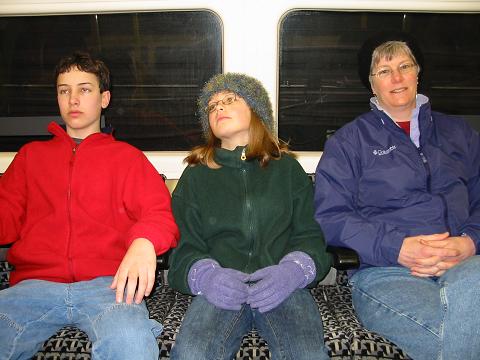
false. Otherwise, return true.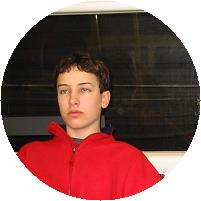
public boolean blur(int radius)Blurs an image. For each pixel, average all of the pixels within a circle centered at that pixel and with a radius as given. Make sure to put all of your results in a new array, instead of overwriting your original as you go; otherwise, your blurred pixels will cascade on top of each other.
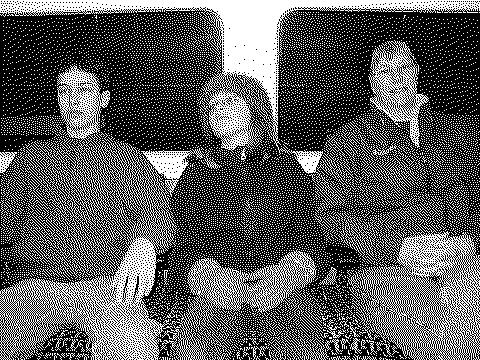
public boolean dither()Dithering is a technique used when you want to print a gray picture in a place such as a newspaper where no shades are available. Instead, you need to use individual pixels of black and white to simulate shades of gray. The popular Floyd-Steinberg algorithm for dithering is as follows:
- Loop over all pixels, running across one row at a time.
- For each pixel: if its value is larger than 128, set it to 255 (pure white). Otherwise, set it to 0 (pure black). Record the "error", which is the old value of this pixel minus the new one.
- This "error" represents how much blackness we have added to this pixel. Distribute this blackness to adjacent pixels as follows:
- Add 7/16 of the error to the pixel immediately to the right ("east").
- Add 3/16 of the error to the pixel immediately diagonally to the bottom left ("southwest").
- Add 5/16 of the error to the pixel immediately below ("south").
- Add 1/16 of the error to the pixel immediately diagonally to the bottom right ("souhteast").
- Any error to be distributed to pixels that are out of range should be ignored.
Dithering should only be done on gray images, so return false if the image isn't gray already.
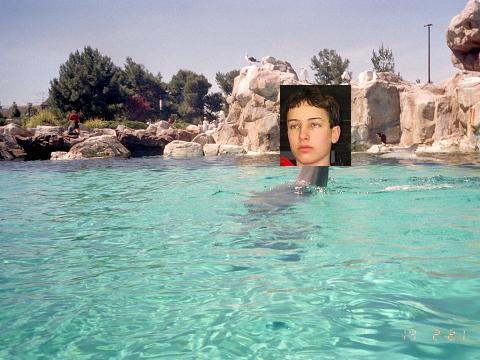
public boolean overlay(ImageMultiProcessor
overlayImage, int row, int col)
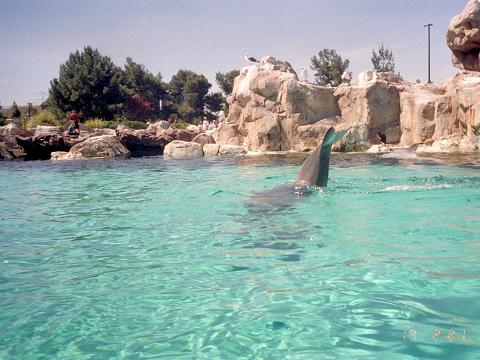
Overlays a smaller
overlayImage onto the image, as in the
example below. If overlayImage can't be placed on the
image (perhaps because it is too large or row or
col are not valid), return false. Otherwise,
return true.